ALBUMSUCHE
Kein Abtippen mehr.
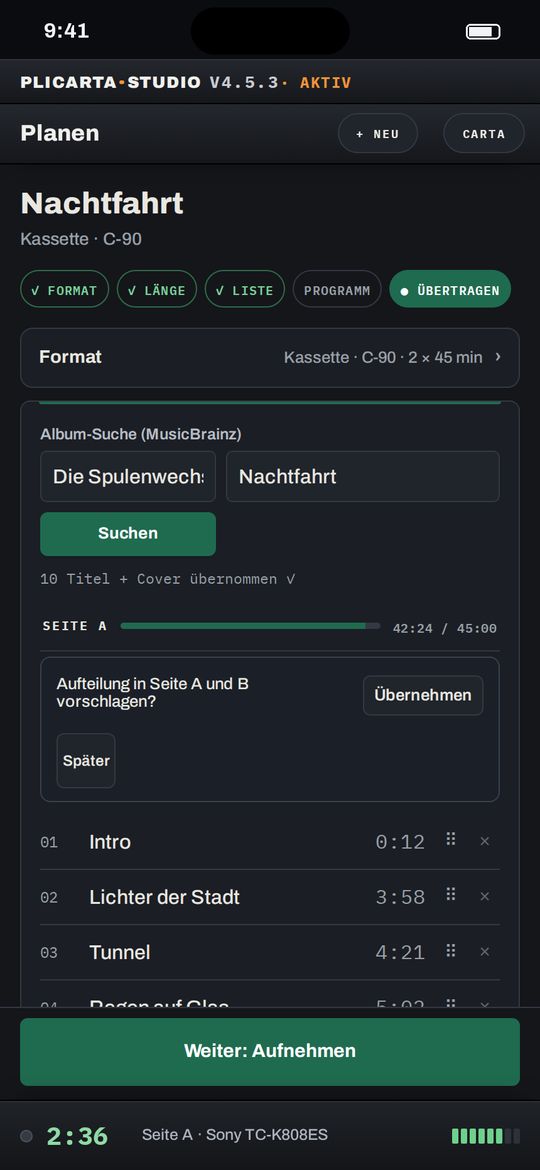
Album suchen, und Titel, Spielzeiten und Cover sind da. Die Aufteilung auf Seite A und B rechnet Plicarta passend zur Bandlänge.
Ein Werkzeug für Einleger, Rückenschilder und Cover, für Kompaktkassette, MiniDisc, DAT und Tonband. Läuft im Browser, druckt auf A4 und auf Etikettendrucker.
Vom Zug bis ins Regal.
Unterwegs planen, entspannt aufnehmen, danach in Ruhe gestalten. So fühlt sich ein Band mit Plicarta an.
UNTERWEGS
Im Zug planen, zu Hause nur noch aufnehmen.
ALBUMSUCHE
Album suchen, und Titel, Spielzeiten und Cover sind da. Die Aufteilung auf Seite A und B rechnet Plicarta passend zur Bandlänge.
PLATTENSAMMLUNG
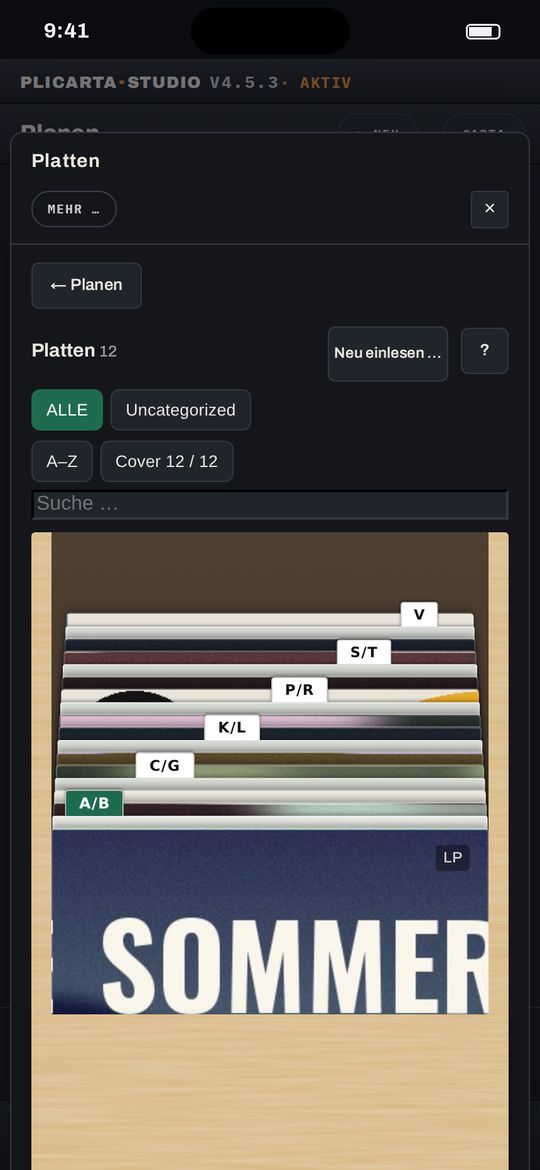
Die Discogs-Sammlung als Kiste zum Durchblättern. Platte ziehen, und das nächste Band ist geplant. Der Dirigent baut dir daraus auch ein Mixtape nur aus deinen Platten.
ÜBERTRAGEN
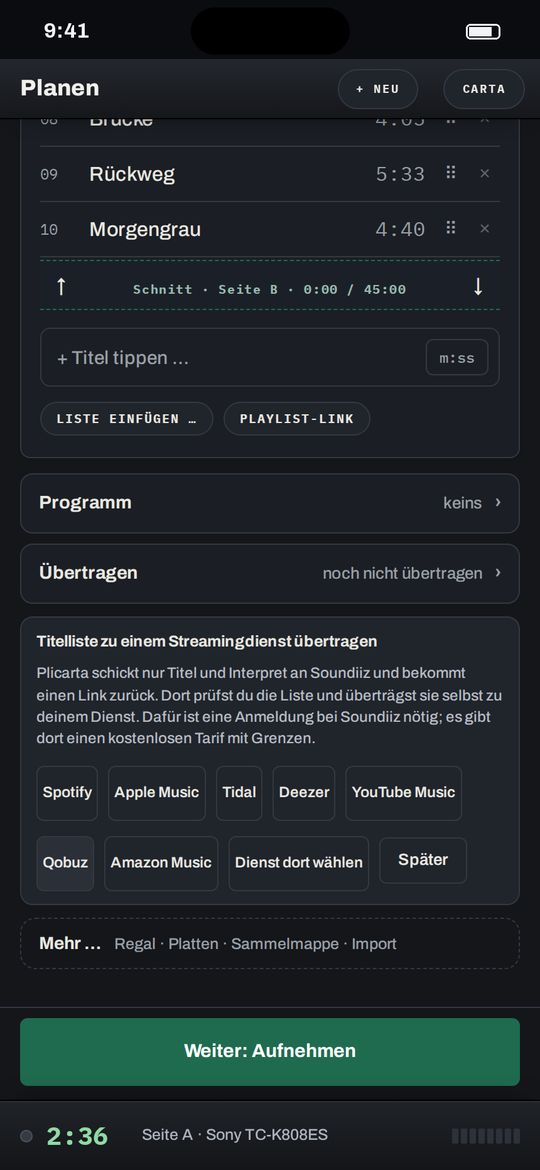
Die fertige Titelliste geht über Soundiiz an deinen Streamingdienst, zum Abspielen beim Aufnehmen oder als Playlist zum Verschenken.
DIRIGENT
Stark anfangen, Seite A braucht ein Ende, Seite B einen neuen Anfang. Der Dirigent schlägt eine Reihenfolge nach den alten Mixtape-Regeln vor, auf Wunsch und abschaltbar. Du entscheidest.
AM DECK
Entspannt am Deck.
TITEL-UHR
Während das Band läuft, gestaltest du in Ruhe das Cover. Plicarta sagt dir rechtzeitig, wann du die Platte wechseln, Pause drücken, die Quelle ändern oder die Aussteuerung für den nächsten Song prüfen musst. Danach geht es gemütlich weiter.
PORTRÄT UND HÖRNOTIZ
Ein Tipp auf die Titelnummer öffnet das Porträt aus Wikipedia und MusicBrainz. Im Reiter »Hörnotiz« erzählt der Dirigent etwas zu Album oder Titel; gefällt sie dir, kommt sie auf die Innenseite der Hülle.
HÖRPROTOKOLL
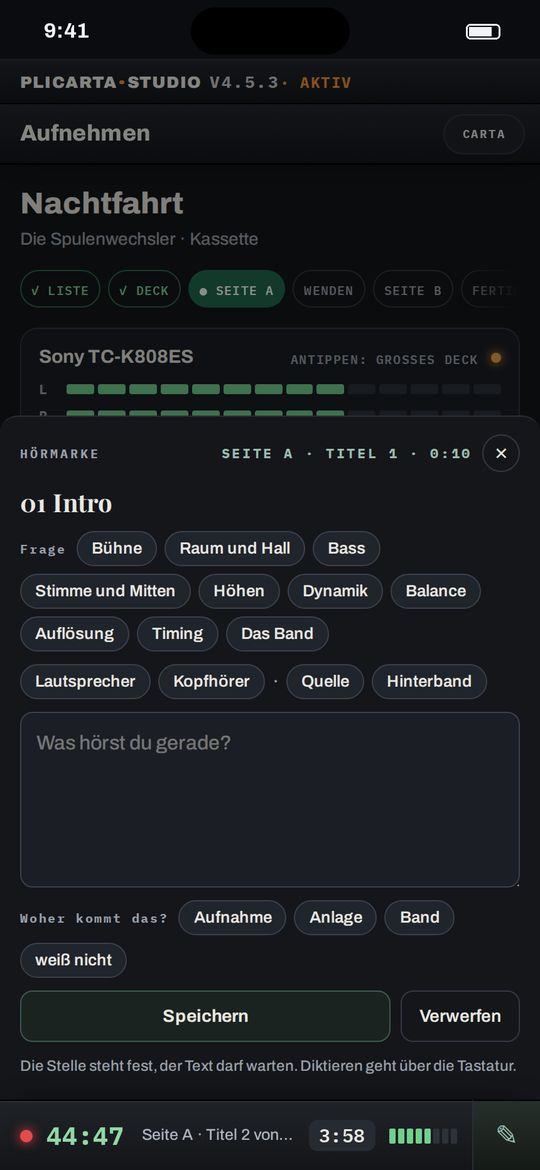
Mit dem Stift am Streifen hältst du fest, was du an einer Stelle hörst: Wie breit ist die Bühne? Wie viel Dynamik bleibt auf dem Band? Auf Wunsch im Vergleich von Quelle und Hinterband. Deine Hörmarken stehen später im Libretto.
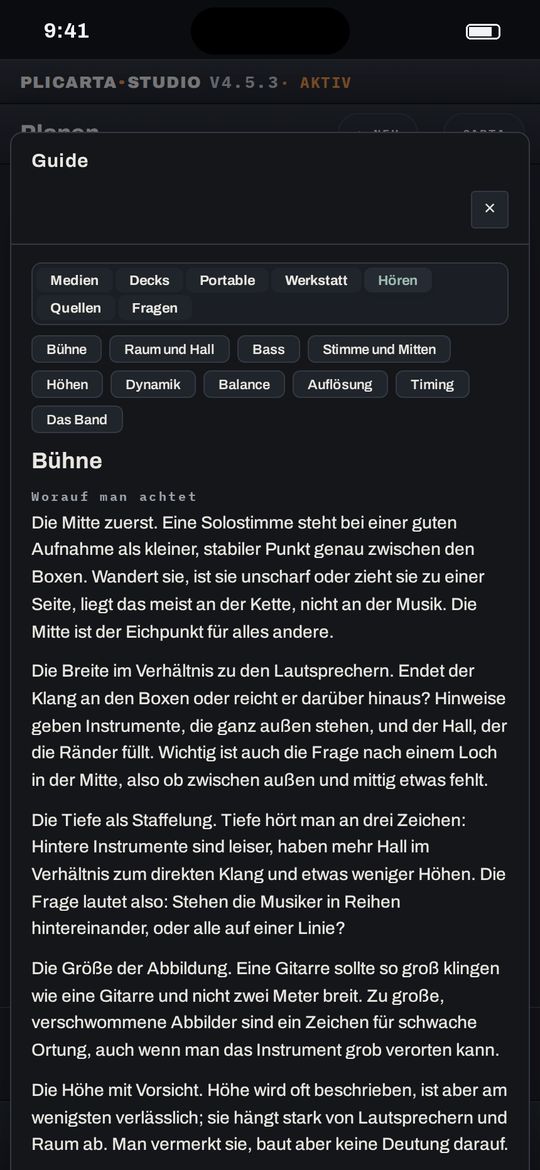
HÖRSCHULE
Die Hörschule erklärt, worauf man bei Bühne, Raum, Bass oder Timing achtet. So werden deine Hörmarken genauer, und du hörst dein Deck mit anderen Ohren.
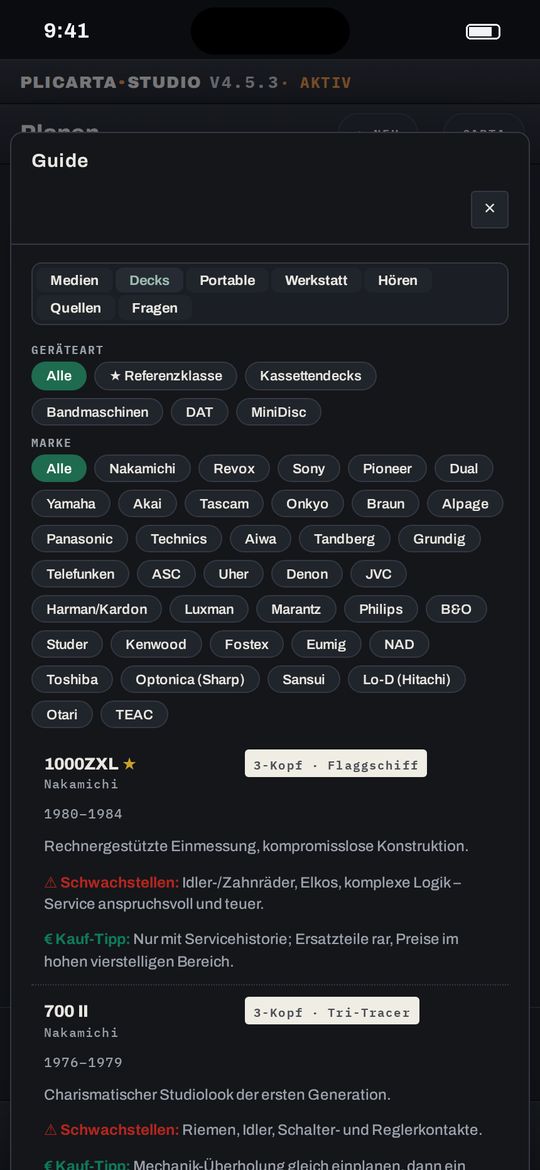
DECK-GUIDE
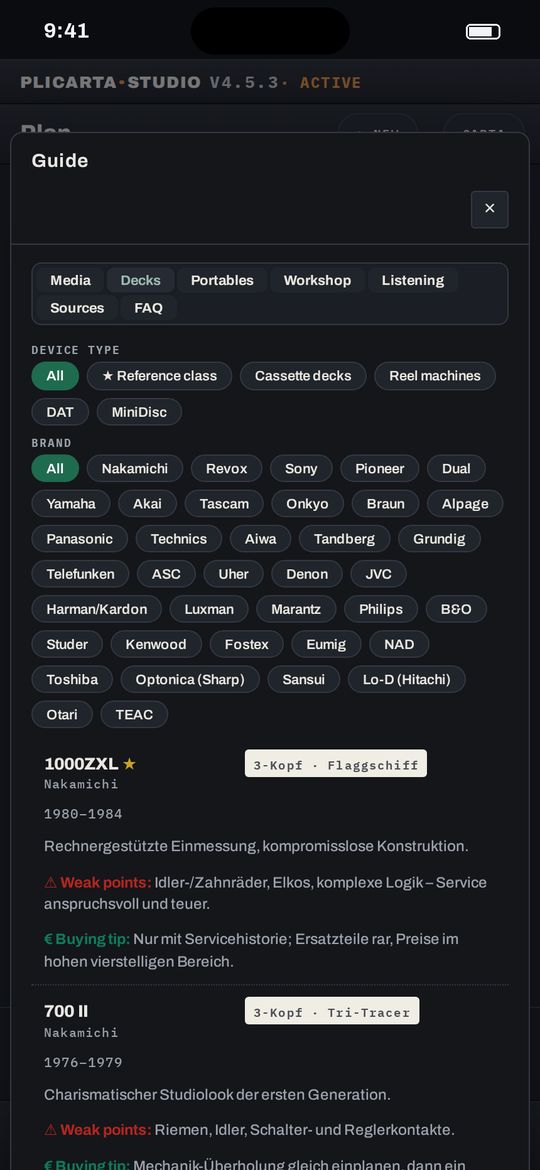
Über 200 Geräte von 41 Marken mit typischen Schwachstellen und Kauf-Tipps, dazu die Bandsorten.
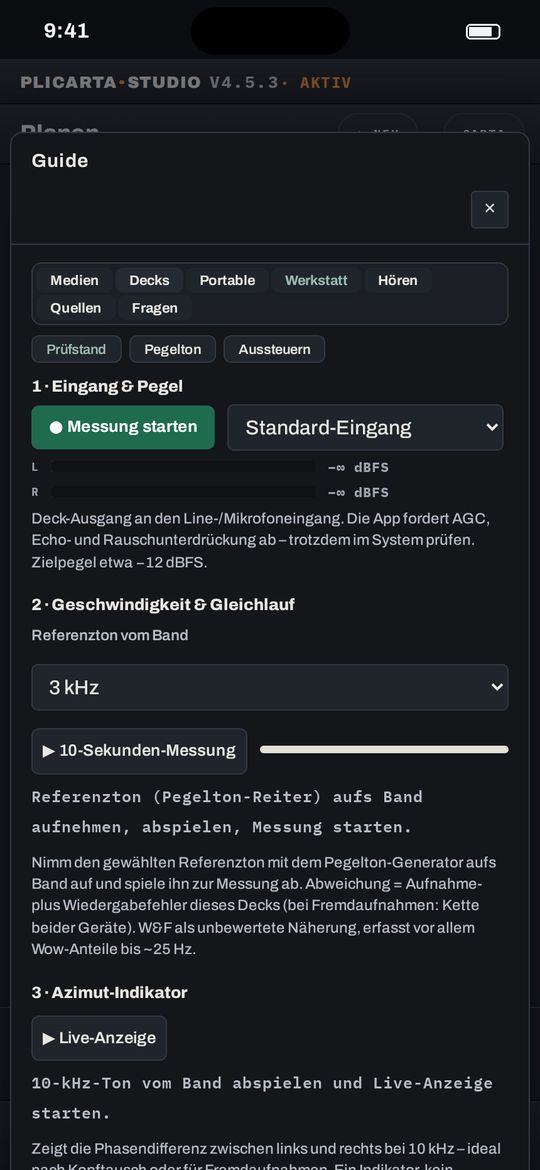
PRÜFSTAND
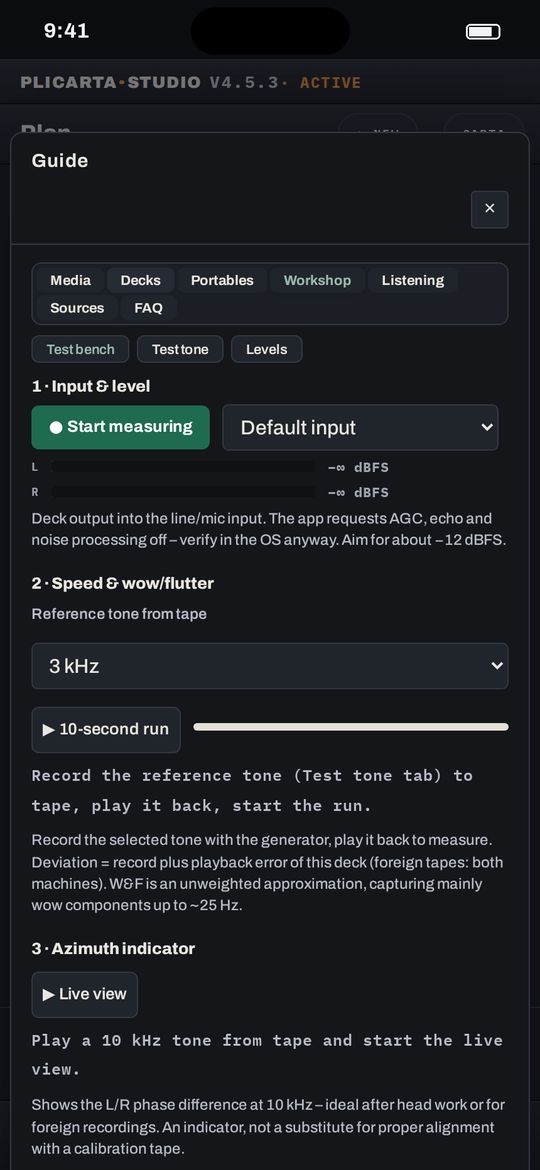
Gleichlauf, Frequenzgang und Azimut messen, über den Audioeingang von Computer oder Handy. So hörst du nicht nur, dass etwas nicht stimmt, du siehst auch, was.
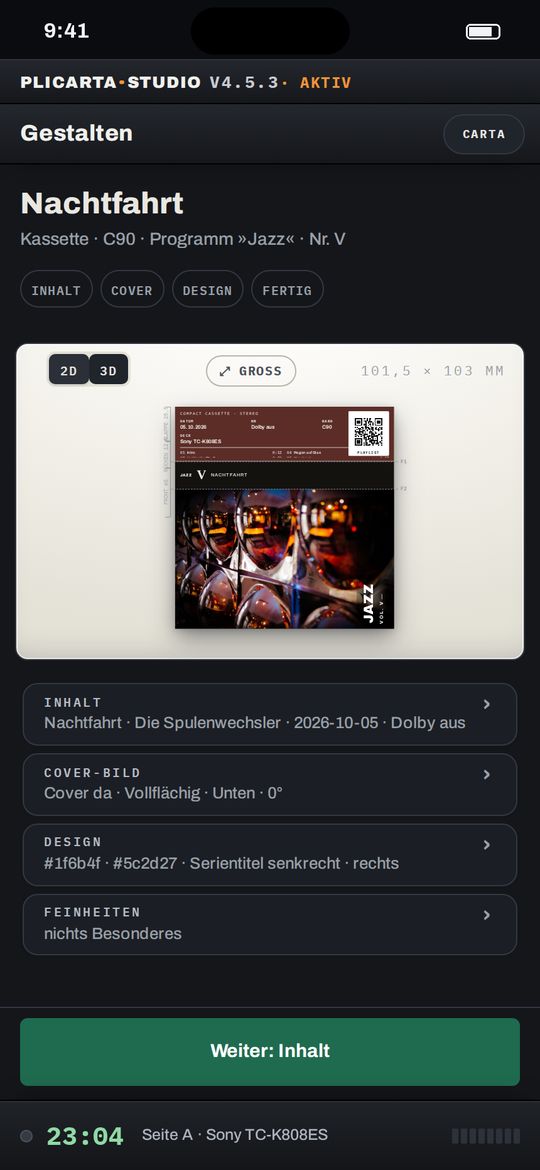
DANACH
In Ruhe gestalten, drucken, ins Regal.
VIER FORMATE
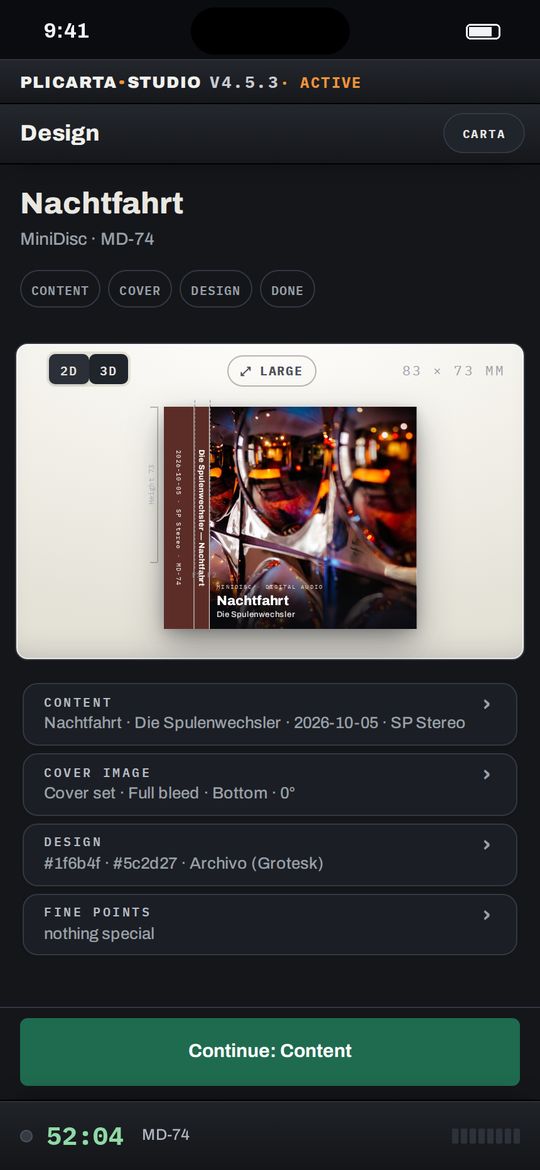
Kassette, MiniDisc, DAT und Tonband, millimetergenau auf A4 oder am Etikettendrucker. Ein Prüfblatt sichert die Maße.
QR-CODE
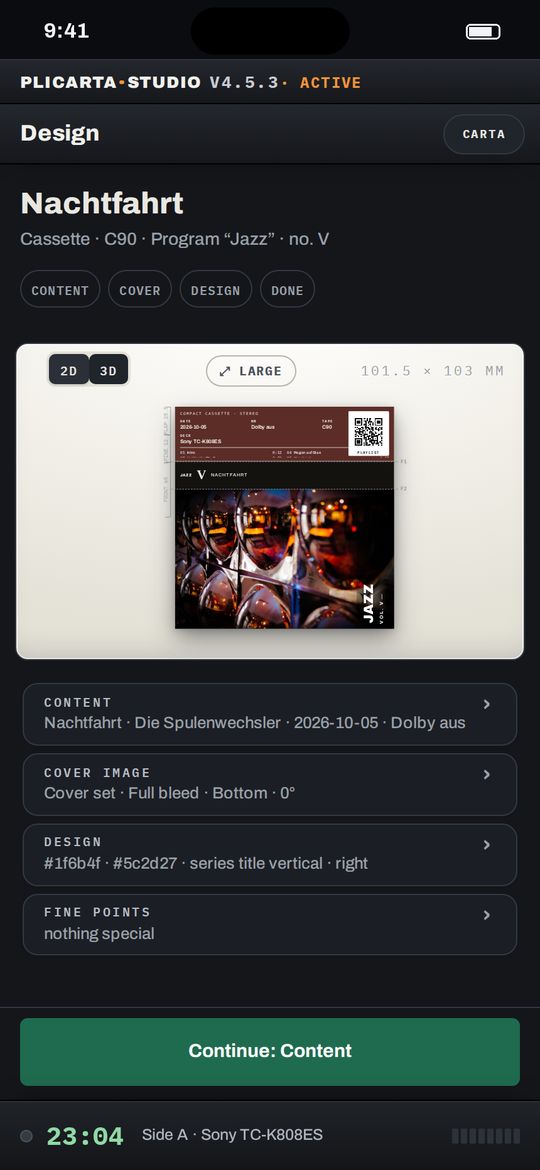
Der Code auf dem Cover führt zur Playlist. So bleibt das Tape ein Geschenk, auch für Leute ohne Deck.
LIBRETTO
Porträt, Fakten, Zitate und deine Hörmarken als kleines Heft, gefaltet aus A4, wie das Beiheft einer guten Platte.
PROGRAMME
Serientitel, fortlaufende Nummer, gemeinsamer Look, jedes Band in eigener Farbe. Im Regal stehen sie nebeneinander wie eine Edition.
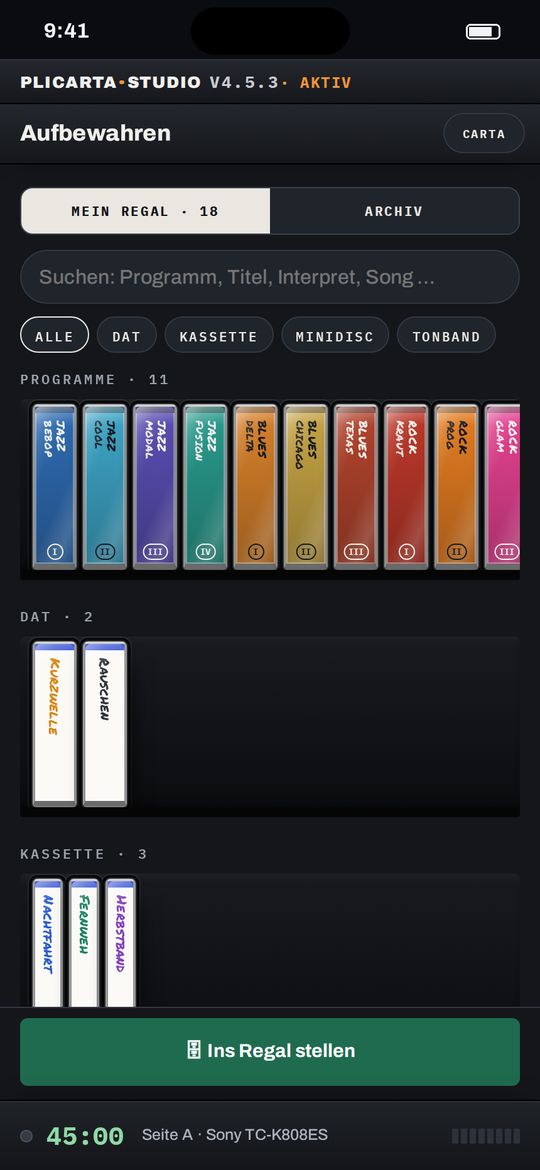
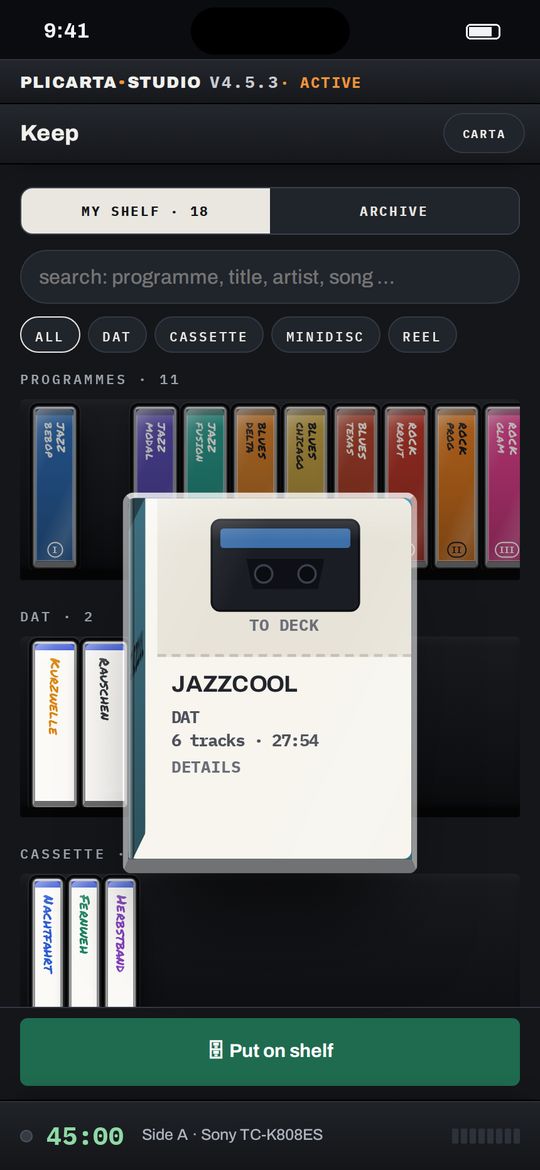
REGAL
Jedes Band nach Format und Programm. Ein Tipp, und die Hülle kommt heraus, mit allem, was du dazu notiert hast.
Vorlagen für Kompaktkassette, MiniDisc, DAT und Tonband. Eigene Hüllen lassen sich nachmessen und eintragen. Auf Wunsch trägt die Karte einen QR-Code zur Playlist.
Album bei MusicBrainz suchen, Playlists von Apple Music einlesen oder aus der eigenen Plattensammlung planen. Das Covermotiv kommt mit, die Reihenfolge ordnest du per Griff.
Die Uhr rechnet mit, was noch auf die Seite passt, schlägt die Aufteilung auf A und B vor und zählt beim Aufnehmen jeden Titel herunter, am Telefon neben dem Deck.
Ein Begleitheft im A6-Format mit Porträt und Fakten zum Interpreten, gesetzt aus Wikipedia, Wikidata und MusicBrainz und von dir redigiert. Gedruckt auf A4, gefaltet zum Heft.
Auf Wunsch schaut eine KI ins Regal: Vorschläge für das nächste Band, blinde Flecken in der Sammlung, ein Blick auf die Dramaturgie der Titelliste. Abschaltbar, mit Tageskontingent.
Jedes fertige Band steht im Regal; Reihen werden zu Programmen mit Nummer auf dem Rücken. Dazu ein Nachschlagewerk mit über 200 Geräten und ein Messplatz für das eigene Deck.
Ziehen zum Drehen
Ein Doppeltipp stellt sie wieder gerade. In der App kommt das Zoomen dazu, bevor gedruckt wird.
Jeder Weg schaltet dasselbe frei. Die Abwicklung läuft über Polar; kündigen kannst du jederzeit im Kundenportal oder über Verträge hier kündigen. Das gesetzliche Widerrufsrecht bleibt unberührt.
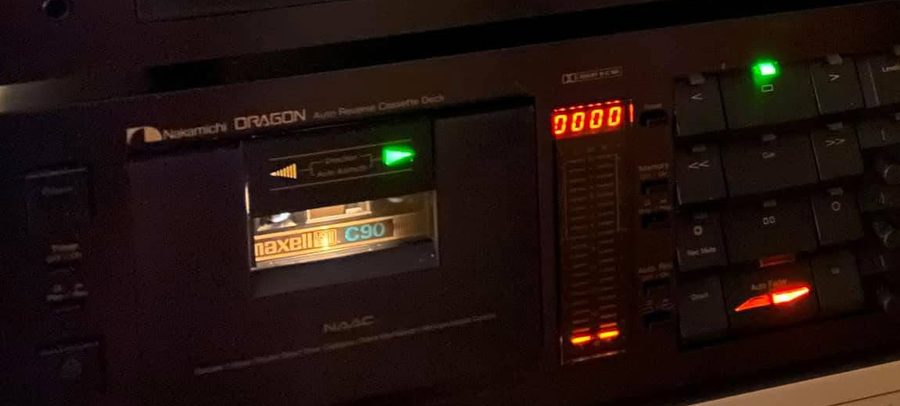
Das hier ist kein Startup. Ich nehme selbst auf, meistens abends neben dem laufenden Deck, und die Karte entsteht dabei am Telefon. Deshalb muss sie auch dort zu bedienen sein und nicht nur am Schreibtisch.
Alles, was die App kann, kann sie, weil ich es beim Aufnehmen gebraucht habe. Was fehlt, lässt sich aus der App heraus melden; ich lese jede Rückmeldung selbst.
A tool for inlays, spine labels and covers, for compact cassette, MiniDisc, DAT and reel to reel. Runs in the browser, prints on A4 and on label printers.
From the train to the shelf.
Plan on the way home, record at ease, design in peace afterwards. That is what a tape with Plicarta feels like.
ON THE WAY
Plan on the train, at home just record.
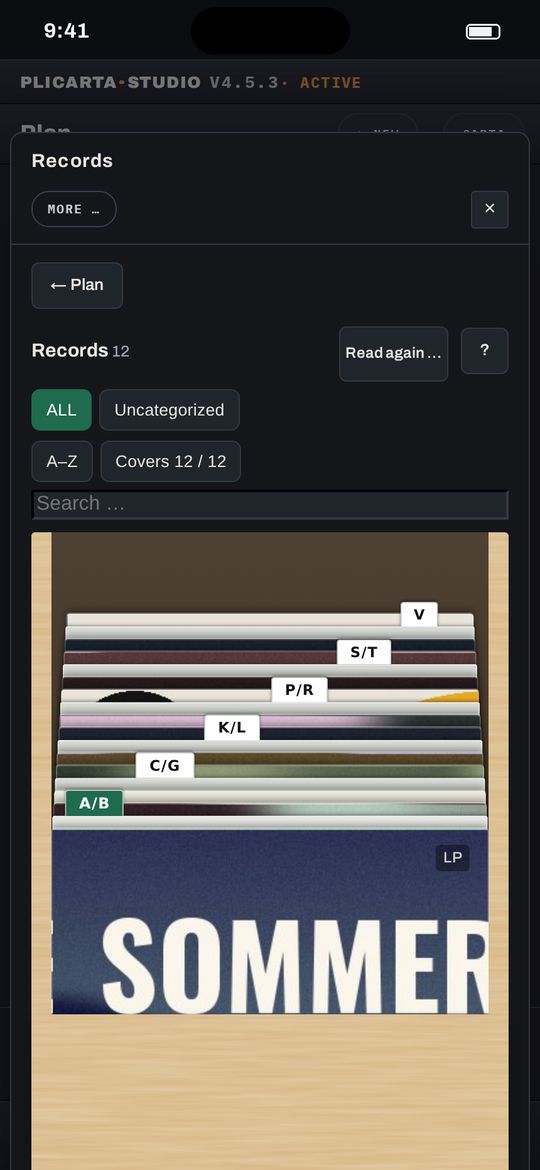
ALBUM SEARCH
Search an album, and titles, running times and cover are there. Plicarta works out the split across side A and B to fit your tape.
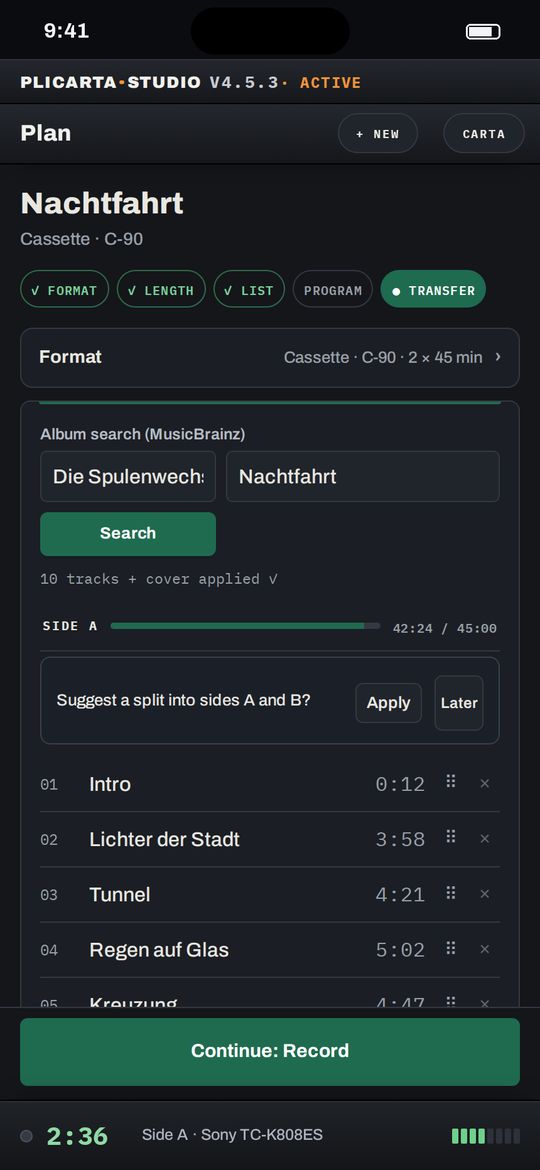
RECORD COLLECTION
Your Discogs collection as a crate to flip through. Pull a record, and the next tape is planned. The conductor can even build a mixtape from your records alone.
TRANSFER
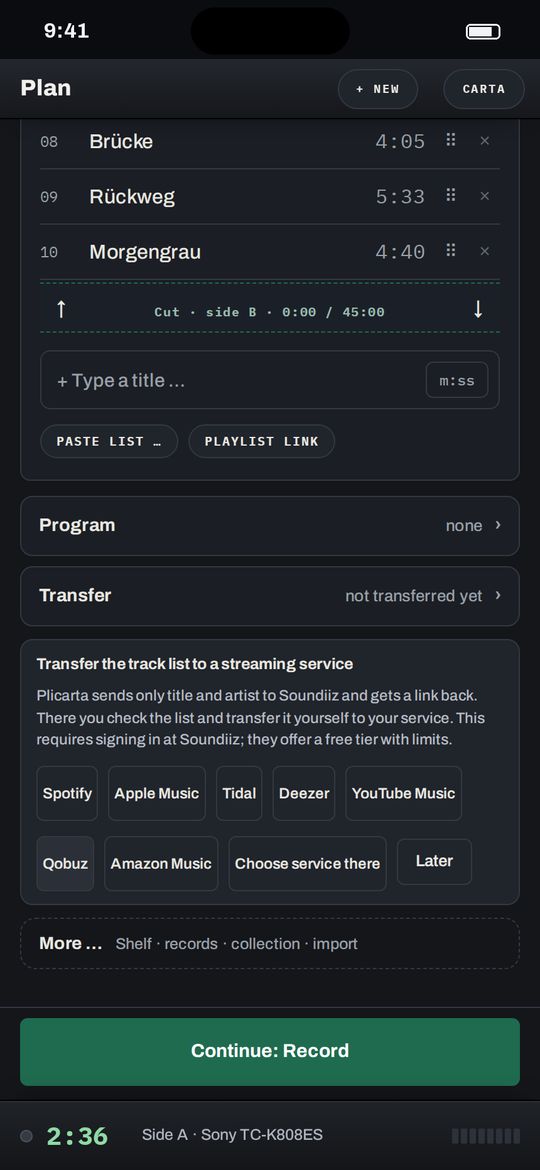
The finished track list goes to your streaming service via Soundiiz, to play while recording or as a playlist to give away.
CONDUCTOR
Start strong, side A needs an ending, side B a new beginning. On request the conductor suggests an order following the old mixtape rules. You decide.
AT THE DECK
Relaxed at the deck.
TRACK CLOCK
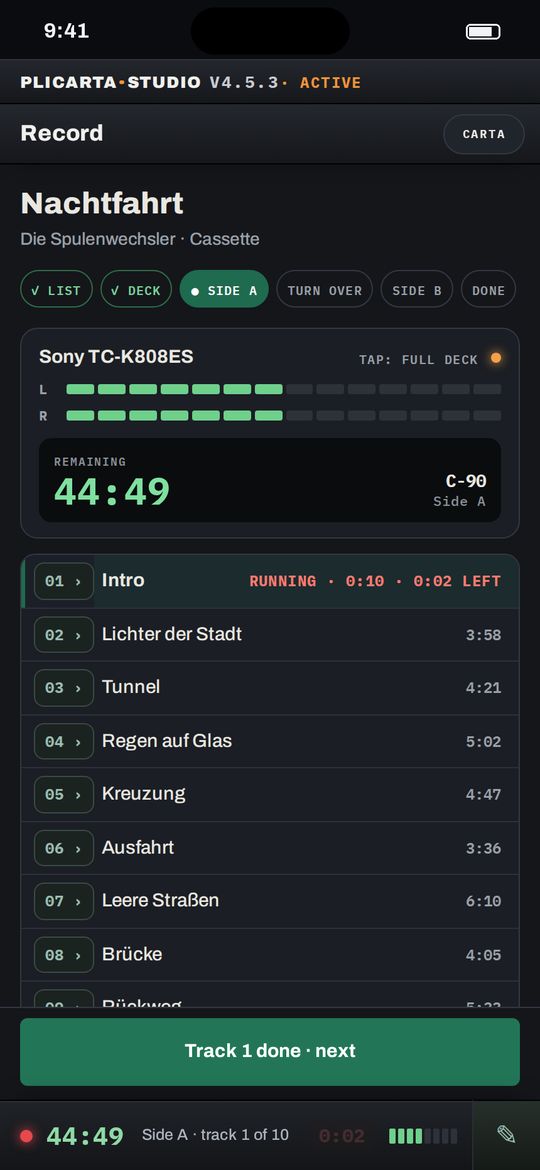
While the tape runs, you design the cover in peace. Plicarta tells you in time when to change the record, press pause, switch the source or check the level for the next song. Then you carry on at ease.
PORTRAIT AND LISTENING NOTE
Tap the track number to open a portrait from Wikipedia and MusicBrainz. In the listening note tab the conductor tells you something about the album or track; if you like it, it goes on the inside of the case.
LISTENING LOG
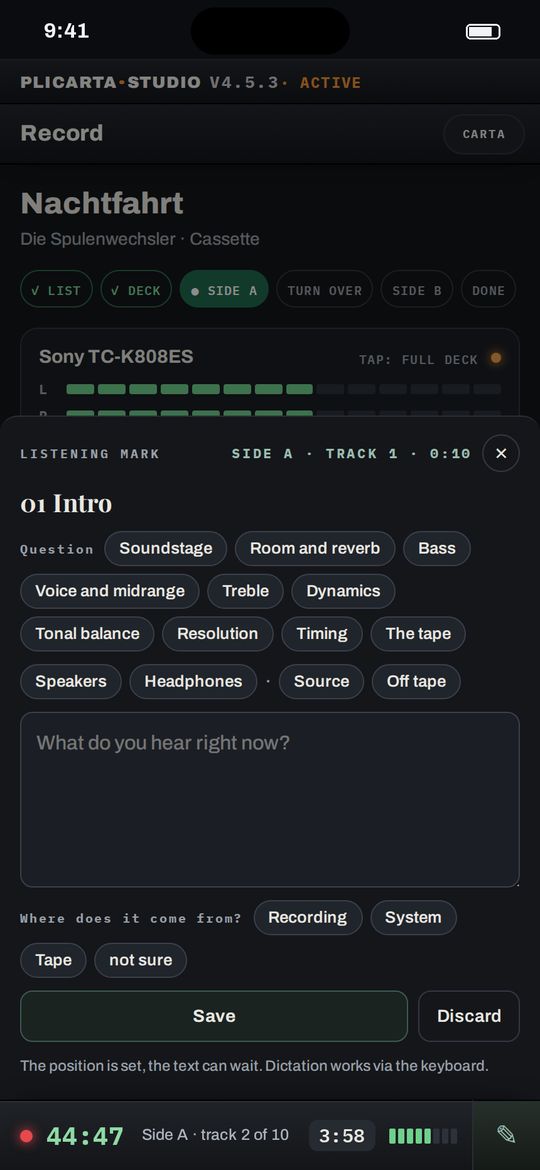
With the pen on the strip you note what you hear at a given moment: How wide is the soundstage? How much dynamics survive on tape? Optionally comparing source and tape monitor. Your listening marks later appear in the libretto.
LISTENING SCHOOL
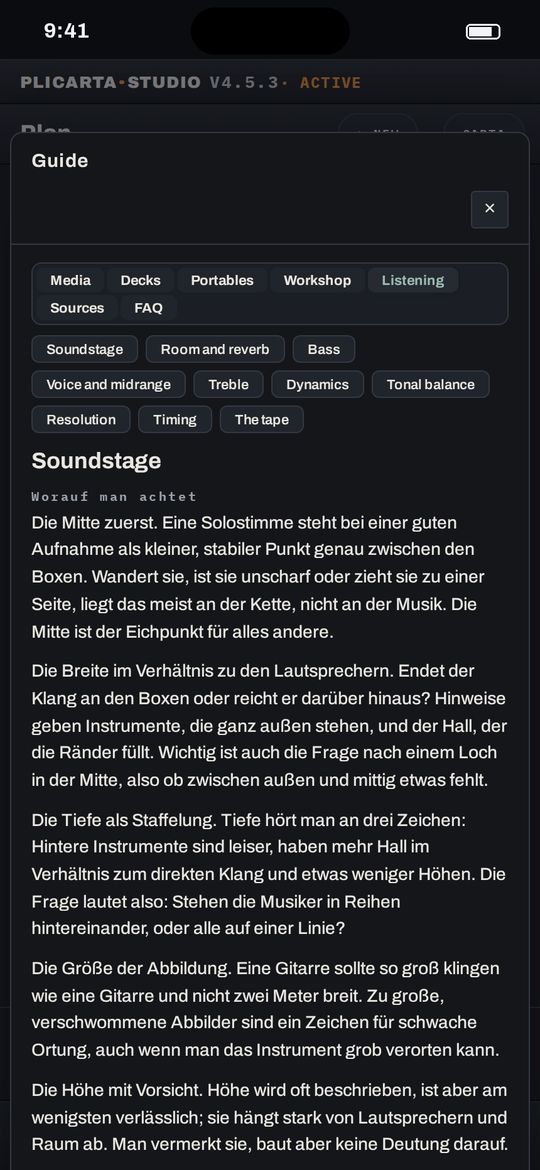
The listening school explains what to listen for in soundstage, room, bass or timing. Your listening marks get more precise, and you hear your deck with new ears. Chapter texts are in German.
DECK GUIDE
More than 200 devices from 41 brands with typical weak points and buying tips, plus tape types. Device texts are in German.
TEST BENCH
Measure wow and flutter, frequency response and azimuth through the audio input of your computer or phone. You don't just hear that something is off, you see what.
AFTERWARDS
Design, print and shelve at your own pace.
FOUR FORMATS
Cassette, MiniDisc, DAT and reel to reel, accurate to the millimetre on A4 or a label printer. A test sheet makes sure the dimensions are right.
QR CODE
The code on the cover leads to the playlist. So the tape stays a gift, even for people without a deck.
LIBRETTO
Portrait, facts, quotes and your listening marks as a small booklet, folded from A4, like the liner notes of a good record.
PROGRAMMES
Series title, running number, a shared look, every tape in its own colour. On the shelf they stand side by side like an edition.
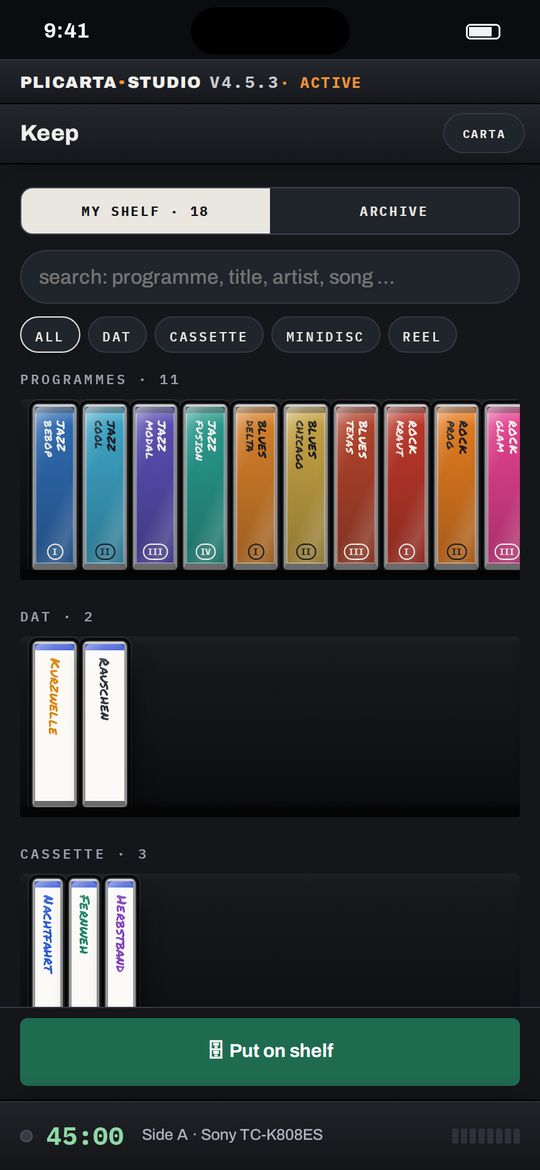
SHELF
Every tape by format and programme. One tap, and the case slides out, with everything you noted about it.
Templates for compact cassette, MiniDisc, DAT and reel to reel. Measure your own cases and enter the figures. On request the card carries a QR code to the playlist.
Search an album on MusicBrainz, import playlists from Apple Music or plan from your own record collection. The cover artwork comes along, and you reorder tracks by dragging.
The clock keeps track of what still fits on the side, suggests the split across A and B and counts down every track while you record, on your phone next to the deck.
A booklet in A6 with a portrait of the artist and key facts, set from Wikipedia, Wikidata and MusicBrainz and edited by you. Printed on A4, folded into a booklet.
On request an AI looks at your shelf: suggestions for the next tape, blind spots in the collection, a view on the pacing of your track list. Switchable, with a daily allowance.
Every finished tape stands on the shelf; series become programmes with a number on the spine. Plus a reference of more than 200 devices and a measuring bench for your own deck.
Drag to rotate
A double tap puts it straight again. In the app zooming comes on top, before it goes to print.
Every route unlocks the same thing. Payment runs through Polar; you can cancel any time in the customer portal or via Cancel contracts here. Statutory rights of withdrawal are unaffected.
This is not a startup. I record tapes myself, usually in the evening next to a running deck, and the card takes shape on my phone while it runs. That is why it has to work there and not only at a desk.
Everything this app does, it does because I needed it while recording. If something is missing you can report it from inside the app; I read every message myself.